





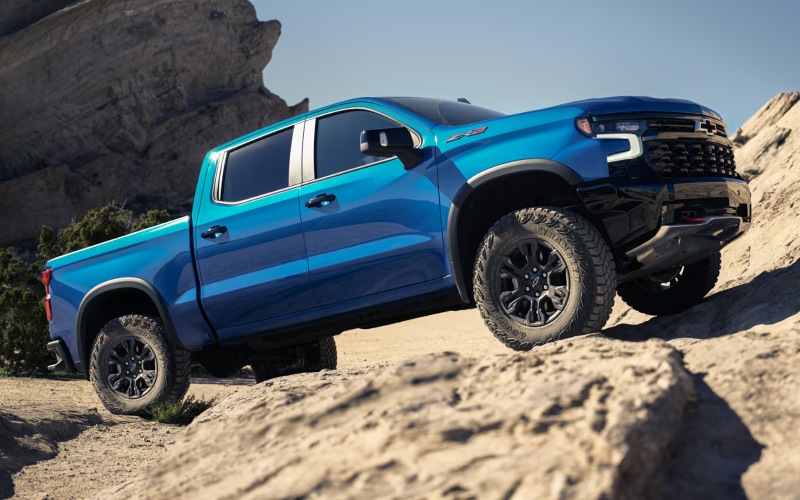
Bob Boyte Chevrolet – Which truck delivers smarter hands-free trailering confidence around Moss Point, MS — the 2026 Chevrolet Silverado 1500 or the 2026 Ram 1500?
When shoppers ask which half-ton pickup manages towing tech with the least stress, the conversation keeps coming back to one capability: hands-free assistance that still works with a trailer attached. That’s where the 2026 Chevrolet Silverado 1500 sets itself apart. Super Cruise® connected by OnStar® is available on High Country and engineered to function on compatible roads even while towing, helping you maintain distance, speed, and steering with a reassuring, steady touch during long highway stretches around Moss Point, MS. Ram’s Hands-Free Active Driving Assist is a meaningful step forward for comfort, yet it does not claim towing capability, which is exactly when many drivers would benefit most from the extra assist.
Beyond hands-free driving, Silverado layers on up to 14 available camera views to simplify every hitching, merging, and backing scenario. Hitch Guidance with Hitch View makes alignment a solo task. Transparent Trailer View helps you see more of what’s behind you, and Trailer Side Blind Zone Alert extends blind-zone coverage along the length of a compatible trailer. Pair those with the in-vehicle Trailering App—custom profiles, checklists, tire pressure/temperature monitoring on equipped trailers—and you’re not just towing; you’re managing a system built to catch small issues before they turn into big ones.
What makes Silverado’s towing tech feel calmer on the highway
Real confidence shows up when conditions change quickly: a sudden gust across the Pascagoula River bridge, an inattentive merge beside your boat, or a tight marina entrance after a long day. Silverado’s integrated tech works as a team. StabiliTrak with Trailer Sway Control steps in early, Trailer Side Blind Zone Alert watches what you can’t see, and the camera suite declutters your mirrors. That cohesion keeps inputs predictable, and predictable is the recipe for low-stress towing.
Ram’s 2026 1500 undeniably brings capability. Available Hurricane turbocharged inline-six engines deliver strong acceleration, and the return of the 5.7L HEMI® V8 will please longtime fans. Ram also packs in advanced towing aids and surround-view cameras. Still, the absence of hands-free towing support and a diesel option means Silverado holds an advantage for drivers who value low-RPM torque and long-haul composure with a trailer attached.
Choosing the right powertrain for towing and everyday life
Silverado’s available Duramax® 3.0L Turbo-Diesel is the only diesel in the class, and that matters for the kind of towing our customers ask about most—bay boats, small campers, utility trailers, and cargo you want to haul at lower RPM with fewer downshifts. If you prefer a gas V8, the 6.2L EcoTec3 V8 brings assertive passing power, while the TurboMax™ engine delivers best-in-class standard torque for quick throttle response when you’re rolling into traffic. Ram’s engine menu is deep and powerful, but if your checklist includes diesel torque and efficiency, Silverado is the straightforward answer.
Bed and trailering features that cut setup time
Durabed’s best-in-class standard cargo bed volume and 12 standard tie-downs rated at 500 lbs per corner turn a pre-launch staging area into a neat, repeatable routine. The available Multi-Flex Tailgate adds a full-width step and second-tier load stops, which are especially handy when you’re loading coolers plus rods or stacking totes two-high. Ram’s bed solutions are useful—its split tailgate design has unique access benefits—but Silverado’s six-function tailgate and factory tie-down count make it easier to secure mixed cargo without hunting for extra hardware.
Quick answers for common towing-tech questions
We hear similar questions from shoppers who are narrowing down their research. Here are a few of the most common, answered in plain language.
Frequently Asked Questions:
Does Super Cruise® work while towing on the Silverado?
Yes. Super Cruise® connected by OnStar® is available on High Country and is designed to function on compatible roads even while towing, helping manage speed and steering within its operating parameters.
How many camera views does the 2026 Silverado 1500 offer?
Up to 14 available camera views, including Hitch View and Transparent Trailer View, to help with alignment, merging, and backing maneuvers.
Can the Silverado monitor trailer tire pressure and temperature?
Yes. The in-vehicle Trailering App supports compatible trailer tire pressure and temperature monitoring when properly equipped, along with custom profiles and pre-departure checklists.
Does the 2026 Ram 1500 offer a diesel option?
No. For 2026, Ram 1500 focuses on gasoline engines, including available Hurricane turbocharged inline-sixes and the 5.7L HEMI® V8.
How to narrow your choice
If you primarily tow on weekends with some weekday commuting, Silverado’s diesel torque and hands-free towing support provide a strong blend of calm and capability. If your priority is quick throttle response for daily driving, you might consider Silverado’s TurboMax™ or 6.2L EcoTec3 V8 or Ram’s Hurricane engines. The point is to match how you use your truck most days of the year.
- Longest highway towing days: Silverado’s Duramax® diesel and Super Cruise® hands-free towing reduce fatigue and steady lane placement.
- Mixed cargo and pre-launch staging: Durabed’s class-leading standard volume, 12 standard tie-downs, and Multi-Flex Tailgate streamline loading.
- Camera coverage for tight spots: Up to 14 views, HD Surround Vision, and Transparent Trailer View simplify marina and neighborhood maneuvers.
When you’re ready to feel these systems work together, schedule time with our team at Bob Boyte Chevrolet. We’ll set up a route that includes highway and surface streets so you can test Hitch Guidance with Hitch View and see how the camera suite reduces stress when traffic stacks up around Moss Point. We’re proudly serving Gulfport, Slidell, and Moss Point with detailed walk-throughs and test loops that reflect the roads you drive most.
Finally, if your towing needs evolve, Silverado’s broad trim and powertrain lineup makes it easy to change gears. From off-road hardware like Multimatic DSSV™ dampers on ZR2 to family-friendly comforts and an available 15-inch Head-Up Display, you can tailor the truck to the exact mix of tasks you tackle throughout the year.
Request more 2026 Chevrolet Silverado 1500 information
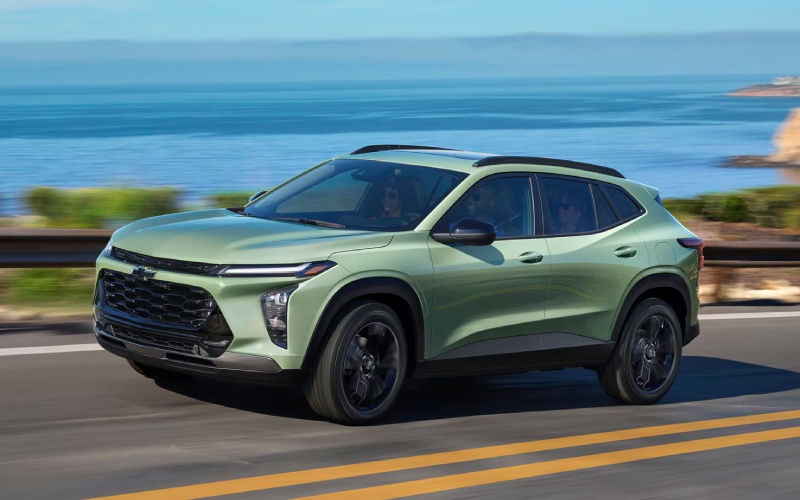
Bob Boyte Chevrolet – Which small SUV makes everyday life easier for Gulfport, MS drivers — the 2026 Chevrolet Trax or the 2026 Hyundai KONA?
What local drivers mean by “easier”—and why it matters
When shoppers ask us which small SUV makes everyday life easier around Gulfport, MS—the 2026 Chevrolet Trax or the 2026 Hyundai KONA—we look beyond spec sheets to the moments that define coastal commutes. That’s the quick merge onto Highway 49 after a midweek Costco stop, parallel spots near the beach on busy weekends, and the everyday tap-tap rhythm of traffic lights on Pass Road. In that context, “easier” means tech that’s intuitive the first time you touch it, safety that’s standard and confidence-boosting, and cargo flexibility that doesn’t require a how-to video. Both SUVs have strengths, but the Trax lines them up in a tidy, ready-from-the-start package that wins over a lot of Gulf Coast drivers.
Start with core tech. The Trax brings wireless Apple CarPlay® and Android Auto™ standard, and the available 11-inch center HD touch-screen keeps maps and media obvious and finger-friendly. The interface is clean, menus are predictable, and physical controls sit where your hand expects them. The KONA offers a sleek digital display and wireless smartphone integration, too, but many of its most attention-getting features appear on top trims. If your goal is to avoid option-chasing and still feel like your SUV is modern and connected on day one, the Trax checks the box with less complexity. Add the available built-in Wi-Fi® hotspot and available wireless charging, and your passengers can keep devices humming while you keep your focus on the drive.
Everyday usability: the stuff you feel at 10 mph and 70 mph
On the move, the Trax’s ECOTEC® 1.2L Turbo engine emphasizes smooth, low-end torque—perfect for those quick gaps between lights on Cowan Road or a confident roll-on toward I-10 ramps. It isn’t trying to be a hot hatch; it’s tuned to feel composed and ready, which takes the edge off busy stretches. Meanwhile, standard Chevy Safety Assist adds peace of mind with Forward Collision Alert, Automatic Emergency Braking, Front Pedestrian Braking, Lane Keep Assist with Lane Departure Warning, Following Distance Indicator, and IntelliBeam® High Beam Assist. KONA offers a robust Hyundai SmartSense suite as well, and high trims stack on impressive aids like Highway Driving Assist and Blind-Spot View Monitor. Those are excellent technologies—but if you’re after a strong base of driver assistance without climbing the trim ladder, Trax has the advantage.
Practicality is about loading and going without overthinking it. The Trax’s 60/40 split-folding rear seat and up to 54 cu. ft. of max cargo space make it easy to run impromptu errands. The load floor’s shape and height feel friendly when you’re managing beach gear, coolers, or a week’s groceries. KONA is flexible, too, and can be configured for more premium touches, but the Trax’s straightforward packaging and clear cargo area make it the one that feels “ready now” for a wide range of daily tasks.
Who should consider KONA?
Drivers who want available HTRAC AWD for added traction feel or who value certain Limited-trim features like Surround View Monitor or Blind-Spot View Monitor may lean toward KONA. It also presents a bold design take with a panoramic-feeling display panel and upscale equipment at the top end. If those specifics are your priorities, KONA deserves a close look.
Who should consider Trax?
If your list starts with intuitive tech on day one, standard safety across the board, tidy parking manners, and a cabin that somehow feels bigger than it looks, Trax is likely the better fit. Its trims like RS and ACTIV also give you distinct personalities without sending you on a feature scavenger hunt. For many Gulfport-area shoppers, that balance of style, simplicity, and smart packaging is the difference they feel after a few blocks.
Three takeaways to help your decision
- Core safety coverage: Chevy Safety Assist is standard across Trax, delivering collision alerts, automatic braking, lane support, and IntelliBeam®.
- Tech that’s ready: Wireless Apple CarPlay®/Android Auto™, available 11-inch center HD touch-screen, available Wi-Fi® hotspot, and available wireless charging keep drives connected and simple.
- Practical space: 60/40 split-folding seats and a well-shaped cargo area make quick work of errands, beach days, and weekend projects.
Frequently Asked Questions:
Does the Trax have the smartphone features I use every day?
Yes. Wireless Apple CarPlay® and Android Auto™ are standard, so you can run navigation, calls, and playlists without a cable. An available 11-inch center HD touch-screen and available wireless charging complete the everyday tech trio.
Is driver-assistance tech standard on the Trax?
Chevy Safety Assist is standard and includes Forward Collision Alert, Automatic Emergency Braking, Front Pedestrian Braking, Lane Keep Assist with Lane Departure Warning, Following Distance Indicator, and IntelliBeam® High Beam Assist.
What if I want advanced parking or highway aids?
Trax offers helpful available assists like Lane Change Alert with Side Blind Zone Alert and Rear Cross Traffic Alert. If you want features like Highway Driving Assist or Surround View Monitor, those are offered on higher KONA trims—worth considering if that specific tech tops your list.
Which feels easier to live with day to day?
For many Gulf Coast drivers, Trax’s mix of standard safety, intuitive infotainment, and cargo-friendly design makes it easier to live with from day one. KONA’s high-trim tech is impressive, but Trax’s balance of features across the lineup tends to win for everyday simplicity.
Next steps for Gulf Coast shoppers
Still deciding? A back-to-back drive will answer more in ten minutes than a week of scrolling. Schedule time to pair your phone, try a few parking maneuvers, fold the seats, and load items you actually carry. That hands-on approach makes the right choice obvious.
Bob Boyte Chevrolet—serving Gulfport, Slidell, and Moss Point—can set up a focused test-drive loop and walk you through trims like RS and ACTIV, so you leave confident you picked the small SUV that makes everyday life easier.
Request more 2026 Chevrolet Trax information
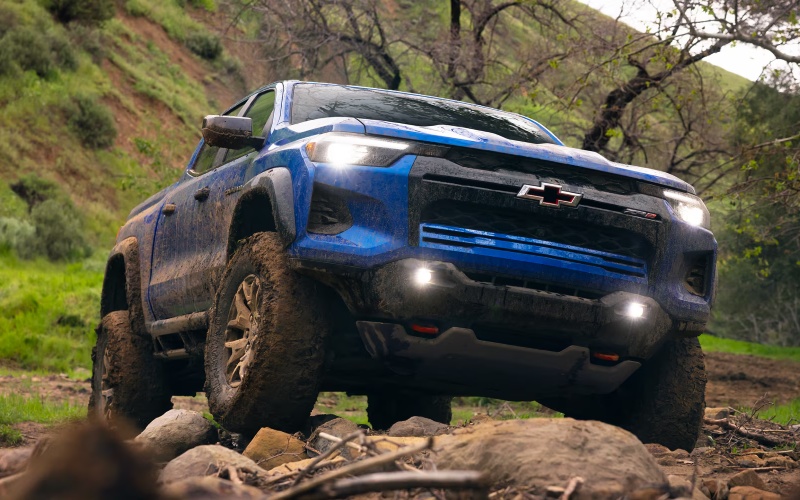
Bob Boyte Chevrolet – Which midsize truck has smarter towing and camera tech for Gulfport, MS drivers – 2026 Chevrolet Colorado or Nissan Frontier?
Shoppers often ask a simple question that shapes the rest of their research: when comparing the 2026 midsize pickups, which one sets you up with smarter towing support and more useful camera visibility around the boat ramp, driveway, and jobsite? With the latest hardware and software updates, the 2026 Chevrolet Colorado builds a compelling case—especially if your weekends include trailering to coastal put-ins around Gulfport, MS—while the 2026 Nissan Frontier remains a tough, straightforward option for drivers who value a traditional V6 and a stout frame.
Let’s walk through where these two trucks diverge on the features that matter most when a hitch and trailer are part of your everyday or every-weekend routine.
The short answer
Both trucks are capable. But the Colorado’s best-in-class standard 430 lb-ft of torque, max available 7,700-lb towing, and an available camera suite that includes underbody views give it a meaningful edge for confident trailering and low-speed maneuvering. The Frontier brings a strong 310-hp V6 and up to 7,150 lbs of towing, plus an available Intelligent Around View Monitor that’s handy off-road, yet it does not match Colorado’s breadth of towing-specific calibration and visibility tools.
Towing hardware and ratings
Ratings do not tell the entire story, but they matter when you are sizing up a camper or a bay boat. Colorado tops out at 7,700 lbs when properly equipped, supported by an enhanced 8-speed automatic and a dedicated Tow/Haul mode that optimizes shift points and throttle mapping. Frontier’s V6 pairs with a refined 9-speed automatic and posts up to 7,150 lbs of towing on select configurations. In practice, Colorado’s torque advantage—standard 430 lb-ft from the TurboMax® engine—helps you pull away smoothly on an incline, manage stop-and-go traffic with a trailer attached, and maintain composure on cross-breezy coastal bridges.
Camera tech and trailering visibility
Visibility is where the trucks feel most different in daily use. Colorado offers up to 10 available camera views, including available underbody cameras and HD Surround Vision. That means you can check for submerged obstacles at a launch, confirm wheel placement over a curb or ramp, and line up a hitch with on-screen guidance. Frontier’s available Intelligent Around View® Monitor with Off-Road Mode gives you a useful 360-degree perspective and adds trail-focused guidelines in low range, which is great on rocky approaches. However, it does not offer underbody views, and its camera ecosystem is not as deeply integrated with trailering features as Colorado’s.
Everyday drivability and control
Colorado brings up to five selectable drive modes—Normal, Off-Road, Terrain, Tow/Haul, and Baja (ZR2)—that adjust traction, stability, and throttle timing to match surface and purpose. That helps whether you are inching down a slick ramp or accelerating to highway speed with a loaded trailer. Frontier supplies selectable systems, including hill descent control (on PRO-4X) and a Terrain Mode Selector, plus proven Bilstein® shocks on PRO-4X. It is strong and straightforward. Still, Colorado’s mode logic and power delivery tend to reduce the micro-adjustments you make with the throttle and brake when you are threading between docks or backing into a tight driveway with a load.
Cabin tech that supports towing
When you are towing, you rely on clear information and quick inputs. Colorado’s standard 11.3-inch touch-screen with Google built-in puts maps, voice assistance, and trailering apps at your fingertips, while the best-in-class standard 11-inch Driver Information Center displays critical data in your line of sight. Frontier counters with an available 12.3-inch display and NissanConnect features, plus wireless smartphone integration on select trims; it is responsive and modern, just not as towing-focused out of the box. For many shoppers, that out-of-the-box confidence is the tie-breaker.
Bed utility matters, too. Colorado’s available 120-volt bed outlet keeps a charger or aerator running at the ramp, and the StowFlex® tailgate adds lockable storage for gloves and tie-downs. Frontier’s Utili-track® Channel System and bed outlet (both available) are useful and rugged, giving you flexible tie-down points. Both trucks deliver, but Colorado layers in small, time-saving touches that come in handy across a season of trailering.
- Towing rating: Colorado maxes at 7,700 lbs when properly equipped; Frontier reaches up to 7,150 lbs.
- Torque advantage: Colorado’s standard 430 lb-ft helps with low-speed control and merging while towing.
- Camera coverage: Colorado offers up to 10 views with available underbody cameras; Frontier offers a 360-degree view but no underbody angles.
- Drive-mode depth: Colorado includes Tow/Haul plus terrain-focused modes; Frontier’s modes are capable but narrower.
- Bed utility: Both offer a 120-volt outlet; Colorado adds StowFlex® tailgate storage and built-in measurement aids.
Frequently Asked Questions:
Can I get advanced trailering guidance without adding aftermarket accessories?
Yes. Colorado’s integrated trailering app, available camera views, and large standard displays deliver guidance out of the box on most trims, so you can hitch, align, and maneuver with fewer add-ons. Frontier provides solid tools on upper trims but does not match Colorado’s underbody visibility or overall camera view count.
Does underbody camera visibility really help at the ramp?
It can. When you approach a launch with angled concrete, submerged obstacles, or uneven riprap, seeing beneath the truck reduces guesswork. Colorado’s available underbody cameras are designed precisely for low-speed confidence in these scenarios.
Which one feels more composed when towing near crosswinds or on uneven pavement?
Both are stable, but Colorado’s torque-rich TurboMax® engine and tailored Tow/Haul calibrations help it maintain smooth, predictable control when load and wind conditions change quickly. That translates into fewer throttle and brake corrections during busy coastal weekends.
The best way to choose is to drive them back-to-back and test the visibility and control features you will use most. If you want a truck that prioritizes torque, trailering calibration, and an exceptionally helpful camera suite, the 2026 Chevrolet Colorado stands out. For drivers who prefer a traditional V6 with a tough frame and proven off-road hardware on PRO trims, the 2026 Nissan Frontier remains a worthy option. One final note for coastal lifestyles: integrated visibility and torque matter more than you might expect when you blend errands, tight parking, and frequent trailering. That is where Colorado’s package shines day after day.
For personalized guidance on trims and equipment that match your routine, visit our team at Bob Boyte Chevrolet, serving Gulfport, Slidell, and Moss Point. We will help you build the right truck for towing confidence and everyday ease.
Request more 2026 Chevrolet Colorado information
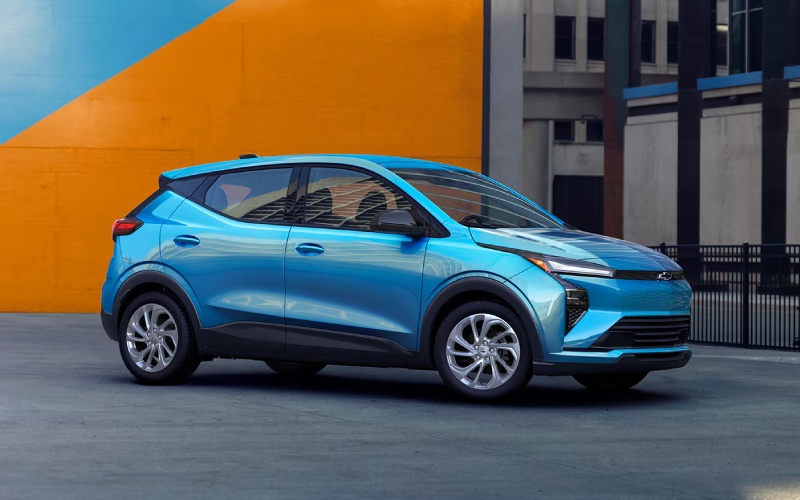
Bob Boyte Chevrolet – How long does it take to DC fast charge the 2027 Chevrolet Bolt near Mobile, AL?
Charging time is one of the first questions shoppers ask when they start evaluating an EV for real-world driving. The 2027 model makes the answer refreshingly straightforward, thanks to a standard NACS charge port and DC fast-charging capability engineered for quick turnarounds on compatible public chargers.
On a compatible DC fast charger, GM estimates 10%-80% in about 25 minutes, a window that fits neatly into a coffee stop or a grocery run. With an EPA-estimated 262 miles of range and access to more than 250,000 available chargers across the U.S. and Canada, including many Tesla Superchargers compatible with the Bolt’s NACS DC port, you can plan your day with confidence — from commutes to weekend drives west on I-10 or east along the coast.
What shapes real charging time?
Fast-charging time depends on a few practical variables: charger power output, current state of charge, battery temperature, and whether the charger is shared or capped. The 2027 model is designed to pull strong power on compatible DC fast chargers, especially in the mid-pack range where EVs charge most efficiently. If you arrive very low on battery or push past the 80% mark, expect charging to slow — that’s normal battery behavior engineered for long-term durability.
Keep in mind that regularly charging to 100% is recommended to achieve the fastest overall charging speeds with this new battery technology. For many daily drives around town, you’ll top up opportunistically and return home with range to spare. On road trips, a few 10%-80% sessions at compatible DC fast chargers typically minimize total stop time.
Home charging vs. public charging
Public DC fast charging shines on road trips or during busy days when your schedule is tight. At home, a Level 2 charger often carries most of the weight, refilling your daily miles overnight. Around Mobile, AL, and nearby corridors, public fast chargers are increasingly easy to find — and with Google built in, you can say, “Hey Google, find a DC fast charger,” to route directly to a nearby compatible station.
For many drivers, the rhythm looks like this: top off at home most nights, then rely on DC fast charging when a day runs long or plans change. That combination keeps the battery in its ideal range and gives you maximum flexibility when you need quick miles.
Planning a road trip strategy
With the 2027 model’s EPA-estimated 262-mile range, you can run one of two strategies. The first is “drive long and charge deep,” which uses fewer stops but longer sessions. The second is “shorter, more frequent top-ups,” keeping the battery in that quick-charging zone between roughly 10%-80% to shorten each stop. Thanks to the standard NACS DC port and broad compatibility, you’ll have more choices on major corridors — including Tesla Superchargers that support the Bolt’s NACS DC standard.
Add available Super Cruise® for compatible roads, and highway time can feel remarkably relaxing. Hands-free assistance helps you maintain lane position and a preset following gap while the system monitors driver attention, a helpful pairing with quick-charging flexibility when your travel day stretches beyond the usual routine.
Everyday tech that makes charging simpler
The cockpit is set up to make charging easy. The 11.3-inch touchscreen and 11-inch Driver Information Center keep range and energy usage front and center. With Google built-in, you can plot nearby chargers, compare options, and see the arrival state of charge on longer routes. Available wireless phone charging keeps your device topped up while the vehicle adds miles, and the overall interface is simple enough that learning it takes minutes, not days.
Local perspective for Mobile-area drivers
If your routine includes I-10 commutes, coastal errands, or quick trips inland, the fast-charge capability is a time-saver. Stop once during a busy day for a 10%-80% top-up on a compatible charger, and you’ll likely cover the rest of your plans comfortably. Planning a weekend to meet friends between the bay and the beaches? The 262-mile EPA-estimated range and quick-charging flexibility make it easy to keep your schedule intact without rethinking every stop.
Frequently Asked Questions:
Can I use Tesla Superchargers with the Bolt’s standard NACS DC port?
Yes, the standard NACS DC port is compatible with many Tesla Superchargers, expanding your options on well-traveled corridors. Always check station compatibility in your route planner or Google built-in for the latest availability and charger details.
How does temperature affect fast-charging speed?
Battery temperature influences how quickly the vehicle can accept power, particularly in very hot or cold conditions. The system manages temperature to protect the battery and optimize performance, which is why charge rates can vary slightly by season and recent driving.
Is it better to fast charge to 100%?
Fast charging typically slows significantly above 80% to protect battery health. For the quickest sessions, aim for 10%-80% on compatible DC fast chargers. The new battery technology also recommends regular charging to 100% to help achieve the fastest overall charging speeds, which you can do conveniently at home.
Will available Super Cruise® affect my charging plan?
Indirectly. Available Super Cruise® helps reduce fatigue on compatible highways, making longer drives feel easier. When combined with efficient 10%-80% top-ups on compatible chargers, you can plan fewer, shorter stops while maintaining a relaxed driving rhythm.
When you’re ready to see how this EV fits your life, the team at Bob Boyte Chevrolet can help you map real routes and compare charging options, serving Slidell, Moss Point, and Mobile with test drives that reflect everyday needs and weekend plans.
Request more 2027 Chevrolet Bolt information
Can the 2027 Chevrolet Equinox’s Google built-in streamline everyday driving around Mobile, AL?

Bob Boyte Chevrolet – Can the 2027 Chevrolet Equinox’s Google built-in streamline everyday driving around Mobile, AL?
Drivers who split their days between work, errands, and family schedules want tech that reduces steps, not adds them. The 2027 Equinox puts a personalized 11.3-inch diagonal infotainment touchscreen front and center and integrates Google built-in, Apple CarPlay®, and Android AutoTM compatibility in a way that genuinely simplifies life on the move around Mobile, AL.
With voice-forward controls and clear menus, the system keeps navigation, entertainment, and communication ready with minimal taps. That matters when you are threading through Causeway traffic or easing into a tight downtown spot. Here is how it all comes together and what to test when you visit for a drive.
What Google built-in changes day to day
Google built-in lives inside the vehicle’s infotainment system, so navigation, music, and voice assistance are ready without juggling your phone. Ask for the fastest route to a new coffee spot, queue a playlist, or send a message by voice, and the Equinox responds with crisp visuals on its 11.3-inch display. The experience feels natural because it removes extra steps and mirrors the apps many drivers already know.
Because the interface is designed for quick recognition, it reduces the time your eyes leave the road. Pair that with steering-wheel controls and an easy layout, and daily commutes feel more relaxed, even when traffic is not.
Apple CarPlay® and Android AutoTM compatibility remain front and center
If you love your phone’s interface, the 2027 model has you covered. Apple CarPlay® and Android AutoTM compatibility work seamlessly with the big display, so your preferred maps, podcasts, and messaging apps appear in a familiar format. It is a best-of-both-worlds setup: use Google built-in when you want baked-in navigation, and switch to your smartphone ecosystem when it suits you. Available wireless phone charging helps keep your device powered without cluttering the console with cables.
Safety and camera tech complement the screen
The value of a large, clear display rises when paired with helpful driver assistance. Over 15 standard safety and driver assistance features, including Chevy Safety Assist, come along for the ride. Available HD Surround Vision adds a high-resolution, overhead-style view to help with parking, and available Rear Camera Mirror can improve awareness when the cargo area is full. These tools, shown clearly on the 11.3-inch screen, make tight spaces and busy shopping centers less stressful.
How to test the tech on a drive
Plan a route that includes a little of everything to see how the interface supports your rhythm. Try voice commands through Google built-in, then switch to Apple CarPlay® or Android AutoTM compatibility to compare layouts. Pull into a compact spot and, if equipped, view available HD Surround Vision. Confirm the home-screen layout makes sense to you and that the most-used functions are no more than a tap or voice command away.
- Pair your phone quickly to verify easy setup
- Use voice to set a destination while moving
- Stream music and adjust volume with steering controls
- Check the responsiveness of on-screen navigation
- Test available wireless phone charging for stability
Why this approach matters for Gulf Coast life
Traffic and weather can change quickly along the Coast, and clear, responsive tech supports confident decision-making. When a detour pops up on Government Boulevard or a sudden shower makes visibility tough, being able to ask for an alternate route or zoom a map without hunting through menus can make a real difference in comfort and focus.
The 2027 Equinox pairs this tech with the reassurance of standard Chevy Safety Assist and available features like HD Surround Vision, so the screen does more than entertain. It becomes a central hub for awareness that is easy to see and simple to use.
Trim considerations for tech lovers
LT, RS, and ACTIV each bring their own style. If you want a bolder look with sporty cues, RS offers black exterior accents and a flat-bottom steering wheel. ACTIV turns up the adventure-ready vibe with uniquely tuned suspension, all-terrain tires, and durable seating surfaces. Across trims, the infotainment experience remains anchored by that generous 11.3-inch screen, so you do not have to choose between design and daily usability.
Ready to try it for yourself
Set aside time to focus on what you will use daily. Bring your phone, your favorite playlist, and a couple of destinations, then explore how quickly the system adapts. Ask our product specialists to demonstrate voice commands and safety displays, and take a pass through a tight parking lot to see how the available cameras and large screen work together. It should feel second nature within minutes.
Frequently Asked Questions:
Can I use Google built-in and Apple CarPlay® on the same drive?
Yes, you can switch between Google built-in apps and your smartphone’s interface. Many drivers use built-in navigation for voice-friendly routing, then switch to Apple CarPlay® or Android AutoTM compatibility for their preferred media apps.
Is wireless phone charging available?
Yes, available wireless phone charging helps keep compatible devices powered without cords, reducing clutter and keeping your center console tidy.
Does the screen show camera views clearly in bright sun?
The high-quality 11.3-inch display is designed for clarity and contrast, and available HD Surround Vision provides crisp views for low-speed maneuvering even in challenging light. Always check your surroundings and use mirrors for a complete view.
What if I am not tech-savvy?
The layout is designed to be intuitive, and voice commands can handle most everyday tasks. Our team can also help you customize home screens, set up profiles, and save favorite destinations so it is easy from day one.
If you are comparing compact SUVs and want tech that streamlines rather than complicates, the 2027 Equinox makes a compelling case. Visit our showroom to see how the 11.3-inch screen, Google built-in, Apple CarPlay®, and Android AutoTM compatibility work together in real time. We are proudly serving Slidell, Moss Point, and Mobile, and our specialists will tailor the drive to your routine. When you are ready to take the next step, Bob Boyte Chevrolet can help you choose the trim and options that match your daily life without overloading you with features you will not use.
Request more 2027 Chevrolet Equinox information
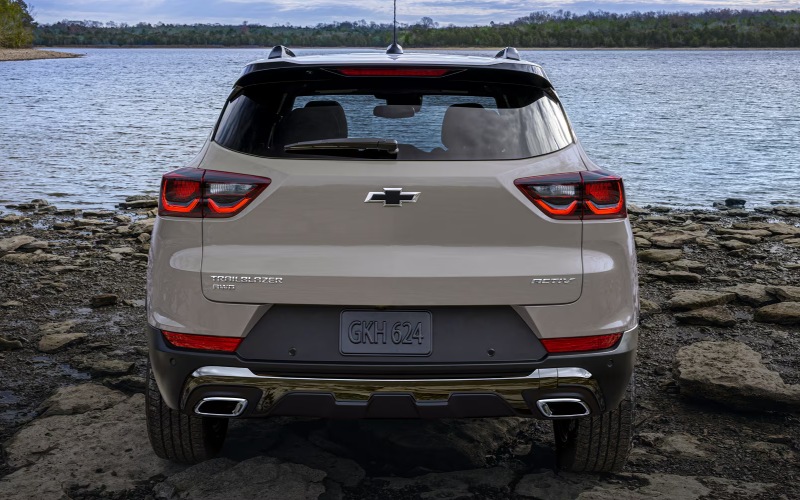
Bob Boyte Chevrolet – Which compact SUV offers more everyday cargo flexibility for Gulfport, MS drivers — the 2026 Chevrolet Trailblazer or the 2026 Jeep Compass?
When Gulfport mornings start with school drop-off, a quick stop at the marina, and a hardware run before lunch, your small SUV has to do more than commute. It needs cargo flexibility that adapts without fuss. That’s the heart of the question shoppers keep asking: which one is more versatile day to day—the 2026 Chevrolet Trailblazer or the 2026 Jeep Compass? We dug into cargo details, seat configurations, liftgate convenience, and load-in ergonomics to help you choose based on the way you actually use your SUV along the Coast.
What matters most for everyday cargo?
Numbers alone never tell the full story, but they do give us a baseline. Cargo volume is one piece; the shape of the space and how seats fold are another. Trailblazer scores an early advantage with its standard fold-flat front passenger seat, enabling up to 8.5 feet of load length. That means you can carry fishing rods, 8-foot shelving, rolled beach canopies, or boxed blinds—all with the lift of a latch. Pair it with the available Hands-Free Power Liftgate to keep loading smooth when your hands are full of gear or groceries.
Jeep Compass brings competitive cargo volume (27.2 cu ft behind the second row and up to 59.8 cu ft max) and a fold-flat front passenger seat across trims we reviewed, plus an available power liftgate—some models add foot-activated open functionality. For many owners, that’s plenty. But it’s the Trailblazer’s long-load trick that solves common Gulfport tasks without a second trip, and that’s a difference you feel every week.
Pack smarter, not harder
Trailblazer’s cargo floor and seatbacks create an even plane when folded, helping bulky boxes slide cleanly forward. The available roof rails and low load height make strapping paddle boards or scope cases easy. Inside, the standard 11-inch HD color touch-screen keeps your phone’s maps and lists front-and-center with wireless Apple CarPlay® and Android Auto™—no cable hunting when your hands are busy. Add the available Bose premium audio for a clear, rich soundtrack to your beach or boat-ramp runs.
Compass counters with a wide opening and flat load floor as well, and Trailhawk® models add rugged utility touches for drivers who mix in more unpaved time. Its available 10.1-inch Uconnect screen with wireless smartphone integration is modern and quick to learn. If you’re prioritizing pure off-road gear storage plus trail hardware like recovery boards and compressors, Compass makes sense. For mixed-use days—Costco to Pier, classroom to kayak—the Trailblazer’s fold-flat front seat gives it a flexible edge.
Real-world use cases around Gulfport
- Hauling long items: Trailblazer’s 8.5-foot cargo-length capability swallows ClosetMaid shelves and surf-fishing poles with room to spare.
- Hands-busy loading: The Trailblazer’s available Hands-Free Power Liftgate opens with a foot-kick—handy when juggling coolers at Jones Park.
- Parking near the marina: Trailblazer’s compact footprint and clear sightlines help you slip into tight spots along the harbor with less stress.
Compass owners will appreciate its generous max cargo volume for bulkier, square cargo and the confidence of standard 4×4 when boat-lane surfaces turn slick. But again, it’s the quick-switch versatility in Trailblazer that keeps errands simple and second trips rare.
Comfort and cabin tech that help you organize
Trailblazer’s cabin complements its cargo savvy. The standard 11-inch HD screen gives you a big, crisp canvas for navigation, playlists, and shared calendars. Wireless phone projection means fewer cables tumbling around the console. An available Bose premium audio system brings clarity even with the windows down along Beach Boulevard. The Jeep Compass adds an available 10.25-inch Digital Cluster Display that looks sharp and a 10.1-inch Uconnect screen that responds quickly. Heated front seats and a heated steering wheel are standard across 2026 Compass trims, which is a perk for early anglers and winter road trips. Both cabins offer thoughtful storage nooks; Trailblazer simply ties the whole package together with a standard, large-format display and that signature fold-flat front seat.
Capability considerations when cargo gets heavy
Trailblazer’s available all-wheel drive with Snow mode boosts traction on slick surfaces and sandy lots, and ACTIV’s off-road-tuned suspension and functional skid plate add confidence when your route includes gravel or ruts. The Compass brings standard 4×4 and multiple Selec-Terrain modes on every trim, plus Trailhawk® hardware for serious rough-road days. If you plan frequent trail weekends with gear piled high, Compass has the edge in pure off-road pedigree. For everyday Gulfport driving, Trailblazer’s balanced ride, tidy size, and helpful traction features are exactly what you need—no more, no less.
Simple steps to test cargo fit before you buy
- Measure your longest regular item (fishing rods, shelving, umbrellas) and note the exact length.
- Bring a couple of bins or coolers you use most—verify how they stack behind the second row.
- Fold the Trailblazer’s front passenger seat flat and load your longest item to confirm the 8.5-foot fit.
- Try the available Hands-Free Power Liftgate and simulate a one-trip load with your hands full.
These simple checks quickly show how each SUV handles your routine. Most shoppers find the Trailblazer reduces those “second trip” scenarios, especially when long items are in the mix.
Frequently Asked Questions:
Does the Trailblazer’s fold-flat front passenger seat really make a difference day to day?
Yes. It routinely turns two trips into one by fitting 8-foot items like shelves, rods, or rolled canopies. You keep the hatch closed and still seat a rear passenger as needed.
Can the Jeep Compass carry long items too?
Compass also offers a fold-flat front passenger seat on the trims we reviewed, which helps. The Trailblazer’s OEM-stated 8.5-foot maximum cargo length sets a clear target for long, slim items.
What about tech—does screen size matter when loading and going?
Trailblazer’s standard 11-inch HD screen is useful when you’re quickly checking lists or maps at the curb; you get a large display without adding options. Compass offers an available 10.1-inch screen that’s also easy to use.
Which one is better for boat ramps and sandy parking areas?
Both handle coastal surfaces well. Trailblazer’s available AWD and Snow mode are reassuring on damp or sandy lots. Compass brings standard 4×4 and Selec-Terrain on every trim for broader traction tuning.
So which compact SUV should Gulfport drivers choose for everyday cargo flexibility?
If long items and single-trip loading are part of your life, the Trailblazer’s fold-flat front seat and available Hands-Free Power Liftgate make it the smarter, simpler choice.
Ready to see how the 2026 Chevrolet Trailblazer fits your routine? Bob Boyte Chevrolet can help you test the cargo scenarios that matter most to you. Our team is proudly serving Gulfport, Slidell, and Moss Point with guidance focused on your everyday needs—no guesswork, just clear solutions.
Request more 2026 Chevrolet Trailblazer information
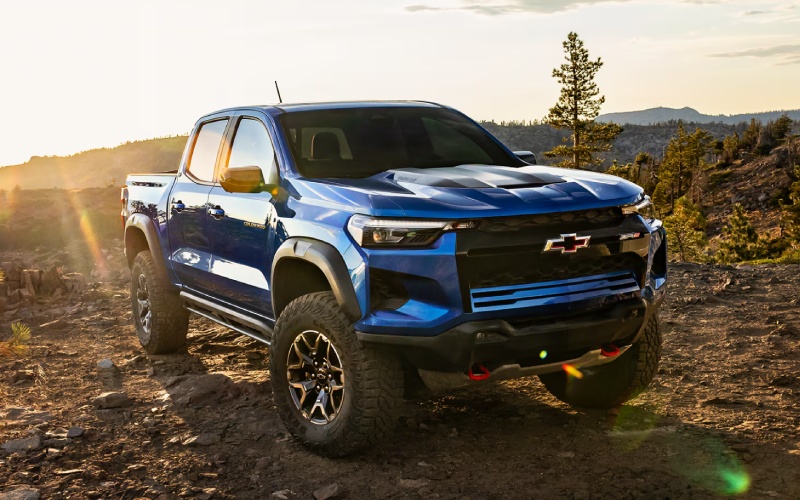
Bob Boyte Chevrolet – How the 2026 Chevrolet Colorado Drive Modes Fit Coastal Roads around Pascagoula, MS
When your week shifts between bridge commutes, plant visits, and weekend boat launches, the 2026 Chevrolet Colorado’s Drive Modes feel tailor-made for Pascagoula, MS. One twist of the dial adapts throttle mapping, transmission behavior, traction support, and stability control to meet the moment—calm, composed, and confident. That flexibility is more than a neat party trick; it’s a practical way to enjoy Colorado’s standard 2.7L TurboMax® engine with 310 horsepower and 430 lb.-ft. of torque across real-world surfaces and coastal conditions.
Below, we’ll break down how each mode changes your truck’s feel, which trims pair best with your routine, and how supporting features—like available 10 camera views and the Trailering App—turn short trips and weekend plans into a smooth routine. If you’re cross-shopping midsize trucks for Pascagoula drives, this is the decision-making detail that matters day in and day out.
What the Drive Modes Do
Colorado offers a simple, intuitive dial that fine-tunes your truck to the task. The result is a midsize pickup that “just feels right,” whether you’re gliding down the US-90 corridor or easing down a gravel access road toward the marina.
- Normal: Your everyday balance of smooth shifts, steady steering feel, and confident braking for commuting and errands.
- Tow/Haul: Adjusts shift points and throttle response to help with confident acceleration, deceleration, and control when pulling a trailer.
- Off-Road: Calibrates traction and stability for loose or uneven surfaces—think sand-and-gravel parking areas and unpaved access roads.
- Terrain: Helps with low-speed, technical driving and can automatically apply braking to stabilize the truck on steeper, uneven sections.
- Baja (ZR2): Optimized for higher-speed runs on sandy or whooped-out surfaces, exclusive to ZR2.
How Modes Help on Pascagoula Roads
Commuting across bridges and causeways benefits from Normal mode’s predictability. You’ll notice smooth throttle response and settled body control when crosswinds pick up or traffic compresses suddenly. If your weekday includes frequent stops near plant gates and tight industrial lots, the available 10 camera views make slow-speed maneuvering easier; pair that with Normal mode and parking feels natural, not nerve-racking.
Tow/Haul is the quiet hero for bay boats and utility trailers. Kick it on before you leave the driveway, and you’ll feel more deliberate shifts that help maintain momentum and reduce gear hunting. Down on the ramp, the available Trailering App with hitch guidance and camera angles helps you line up and back in with clarity. When it’s time to pull up a wet incline, the Colorado’s 430 lb.-ft. of torque works in your favor while Tow/Haul keeps the response measured.
Off the Pavement: Off-Road vs. Terrain
Not all dirt paths are the same. Off-Road mode is your go-to for sandy edges, shell-laced drive-ups, and soft shoulders near launch areas. It builds traction where loose top layers shift under the tires. Terrain mode, by contrast, is designed for technical, low-speed work—like easing through rutted access roads, climbing over curbing at construction sites, or navigating a washed-out section after heavy rain. Terrain can also automatically apply braking to stabilize the climb, which lightens your steering workload as you pick through obstacles.
If you do more exploring on weekends, trims like Trail Boss and Z71 add ground clearance, tires, and performance displays that sync naturally with Off-Road and Terrain modes. The ZR2 ups the ante with a 3-inch lift, 33-inch MT tires, and Multimatic® DSSV dampers—ideal for rougher two-tracks and beach-adjacent trails. Baja mode is exclusive to ZR2 and thrives on sandy, higher-speed sections with more chassis motion.
Supporting Tech That Makes Modes Even Better
The 11.3-inch center touch-screen with Google built-in keeps maps, voice control, and apps at your fingertips, while Apple CarPlay® and Android Auto™ compatibility ensure your phone’s ecosystem follows along without fuss. When maneuvering near the ramp or around dense lots, available 10 camera views—including available underbody cameras—provide valuable sightlines. Chevy Safety Assist is standard, adding Forward Collision Alert, Automatic Emergency Braking, Front Pedestrian Braking, Lane Keep Assist with Lane Departure Warning, Following Distance Indicator, and IntelliBeam® Auto High Beams to the mix. The net effect: Drive Modes guide how the truck behaves; the tech helps you stay a step ahead.
Don’t overlook the bed’s intelligence, either. Up to 17 available tie-downs and the StowFlex® tailgate with built-in storage make it simple to separate dock lines from bait buckets, stash straps, or keep a compact tool kit close at hand. An available 120-volt power outlet and cargo bed lighting bring convenience to dawn departures or late returns when you’re reorganizing for the next day.
Which Colorado Trim Fits Your Routine?
For mostly paved driving with occasional towing, LT and Z71 deliver a comfortable ride and standard TurboMax® power that feels strong yet refined. Add the available Trailering App and camera package to make hitching smoother. If you split time between Pascagoula marinas and sandy access points, Trail Boss provides a factory 2-inch lift and all-terrain tires so Off-Road and Terrain modes have more grip to work with. Drivers who crave capability headroom for tougher backroads will appreciate the ZR2’s lift, 33-inch tires, and Multimatic® DSSV dampers—plus Baja mode when conditions open up.
However you configure it, the Colorado’s enhanced 8-speed transmission pairs smoothly with Drive Modes, letting the truck feel alert when you need punch and relaxed when you’re cruising. That balance is a big reason the Colorado is so easy to live with every day.
Ready to try the dial yourself? A short loop that includes a bridge run, a quick detour on unpaved shoulders, and a simulated hitch-and-back is the ideal test. You’ll feel how modes tame the small frictions of daily driving: steadier throttle tip-in, calmer shifts with a trailer, more composed traction on loose surfaces. It’s not a gimmick—it’s everyday control, baked in.
For shoppers serving Lucedale, Laurel, and Pascagoula who want clear guidance and a no-pressure walkthrough of trims and options, our team can help you pinpoint the right configuration and tech mix for your routes. We’ll talk towing, bed use, camera coverage, and accessory plans so your Colorado is set up from day one.
If you’re curious how Drive Modes compare to traction systems in other midsize trucks, consider this: Colorado’s modes are part of a complete package, not a standalone tool. The standard TurboMax® torque, available 4WD hardware, camera systems, and Chevy Safety Assist work together so that when you turn the dial, the whole truck responds. That’s the confidence you’ll feel on Pascagoula’s varied roads—steady, predictable, and ready when the day changes. When you’re set to take a closer look, Bob Boyte Chevrolet is here with knowledgeable guidance and convenient drive routes so you can experience each mode in real conditions.
Request more 2026 Chevrolet Colorado information
How Up to 14 Camera Views Make Towing Easier in Hattiesburg, MS with the 2026 Chevrolet Silverado 1500
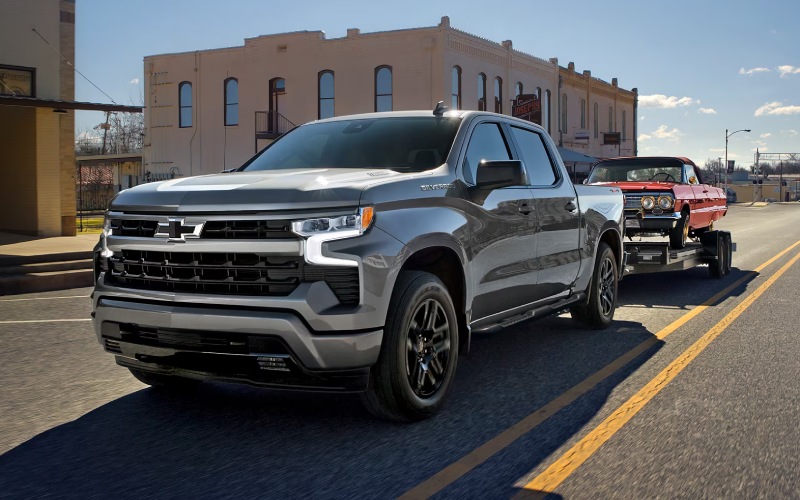
Bob Boyte Chevrolet – How Up to 14 Camera Views Make Towing Easier in Hattiesburg, MS with the 2026 Chevrolet Silverado 1500
Hooking up a trailer should feel routine, not stressful. That’s why the 2026 Chevrolet Silverado 1500’s available camera tech — with up to 14 unique views — is such a difference-maker for drivers around Hattiesburg, MS. Whether you’re backing a utility trailer behind the house, positioning a camper in a tight driveway, or guiding a boat down a narrow ramp, Silverado’s camera suite layers in confidence at each step.
This system is more than a backup camera. Depending on configuration and trailer equipment, you can access multiple vantage points that make it easier to align your hitch, keep an eye on traffic alongside your trailer, and even see behind your trailer while you’re in motion. Pair that with the In-Vehicle Trailering App and the process becomes simpler, more repeatable, and less time-consuming — exactly what busy drivers need in and around the Pine Belt.
Why Camera Views Matter for Everyday Towing
Backinintoto a hitch and navigating tight areas is where most towing anxiety begins. Silverado’s available Hitch Guidance helps you line up with precision, while additional views can show you what’s happening around your trailer, not just behind the bumper. When your weekends involve the river, a hunting lease, or regional trips to campgrounds, extra visibility goes a long way in keeping things smooth.
For city streets and parking lots, available HD Surround Vision stitches together a top-down view, giving you a clear perspective of curbs, posts, and cross-traffic areas. Out on US-49 or Hardy Street, Trailer Side Blind Zone Alert can provide mirror-based alerts when a moving vehicle is detected in the side blind zone of your truck and trailer, helping you change lanes with more certainty.
The Trailering App: A Quiet MVP
Beyond camera tech, the In-Vehicle Trailering App elevates your setup. Build trailer profiles, run through pre-departure checklists, and monitor key connections. If you rotate between a boat trailer, a small enclosed trailer, and a utility trailer, saving each profile helps keep mistakes out of the mix and makes departure routines quicker and more consistent.
For families and weekend adventurers, those checklists are invaluable. It’s easy to forget a pin or skip a light check when you’re in a hurry. The Trailering App turns good habits into a predictable system — one less thing to worry about when you’re managing gear and schedules.
Top Camera Views to Try First
- Hitch Guidance: Aligns your truck and receiver so you can back up cleanly to the coupler.
- Rear Trailer View: Shows a view behind your trailer to help you monitor traffic and obstacles while in motion.
- HD Surround Vision: Offers a composite, top-down perspective to simplify tight parking and angled approaches.
- Front and Rear Split Views: Help you check both directions when your sight lines are blocked by the trailer or nearby obstacles.
- Available Transparent Trailer View: Helps you virtually “see through” a compatible trailer to check lanes and objects behind.
Each of these views is designed to answer a specific question: Am I lined up? What’s behind the trailer? How close am I to that obstacle? With Silverado, you can switch between answers quickly, so you spend less time guessing and more time moving with confidence.
Built for Local Roads and Ramps
Hattiesburg’s mix of neighborhood streets, retail lots, and regional highways creates varied towing challenges. That’s where Silverado’s tech shines — not just at boat ramps but also in everyday life. When you’re threading into a tight parking spot near Turtle Creek or navigating before-dawn departures for a fishing trip, those extra sightlines increase your confidence and reduce minor mishaps.
It’s the same story for job-site use. Contractors who haul equipment in enclosed trailers will appreciate how much quicker it is to back into alleys or staging areas, especially when visibility is limited. Pair the camera suite with the Silverado’s Durabed and optional Multi-Flex Tailgate, and loading, staging, and setting off become a simple rhythm.
Safety and Confidence Go Hand in Hand
Camera views do not replace safe driving, but they do enhance your awareness. Combine them with standard Chevy Safety Assist, which includes features like Forward Collision Alert and Automatic Emergency Braking, and available driver assistance such as Super Cruise® with trailering on compatible roads, and the Silverado 1500 brings a sophisticated safety net to the towing conversation.
A key benefit: the system helps newer towers build good habits quickly. If you’ve just bought a camper or started trailering a side-by-side, you don’t have to master everything at once. Use the tech to learn, then grow more independent as your skill improves.
Frequently Asked Questions:
Do I need a special trailer to use the advanced camera views?
Some views work with any trailer, while others — like available Transparent Trailer View — require a compatible setup and installation. Your advisor can help you choose the right components.
Can I use these cameras for parking even when I’m not towing?
Yes. Many camera views, including available HD Surround Vision, are invaluable for daily parking and navigating tight spaces without a trailer attached.
How does the Trailering App help with different trailers?
You can create customized profiles that store important details for each trailer, plus access checklists and status indicators that make it easy to move between trailers.
Does the camera system reduce sway?
Camera tech enhances visibility and decision-making, but controlling sway involves proper loading, weight distribution, hitch selection, and driving technique.
Ready to See It in Action?
The best way to understand Silverado’s trailering tech is to try it. A short demo will show how camera views and the Trailering App reduce guesswork and make setup more consistent. If you’re moving between household, recreation, and work needs, this is exactly the kind of toolset that pays off every week.
When you’re ready, schedule a hands-on look at these features with Bob Boyte Chevrolet. We’re proudly serving Hattiesburg, Lucedale, and Laurel with straightforward guidance and real-world demonstrations, so you can pick the configuration and accessories that fit your towing life.
Request more 2026 Chevrolet Silverado 1500 information
How the 2026 Chevrolet Trax Wireless Connectivity and 11-inch Screen Simplify Commuting around Mobile, AL
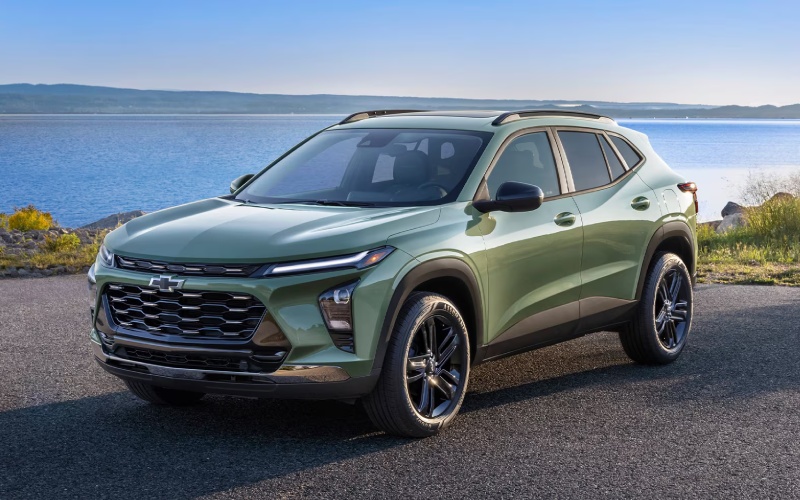
Bob Boyte Chevrolet – How the 2026 Chevrolet Trax Wireless Connectivity and 11-inch Screen Simplify Commuting around Mobile, AL
Wireless connectivity has become the difference between a car that just “has” technology and one that makes your day measurably easier. In the 2026 Trax, standard wireless Apple CarPlay and wireless Android Auto meet an available 11-inch center HD touch-screen, creating a clean, cable-free cabin that helps you start, navigate, and get on with your day with fewer taps and less clutter. It’s the kind of execution that feels natural immediately—smartphone familiarity paired with an interface that’s built for the road.
The Value of Going Fully Wireless
A wireless setup changes small daily habits in a big way. Morning departure means you set your phone on the console, see your apps appear, and go. No hunting for a cable, no flipping connectors, and fewer distractions. The 11-inch screen, when equipped, presents large, easy-to-read tiles and smooth transitions so your most-used apps are one quick touch or voice prompt away. The result is a cabin that stays tidy and a drive that feels intentionally streamlined.
Voice control matters here too. Whether you use Siri or Google Assistant, the Trax’s microphone pickup and simplified prompts help you handle texts, calls, playlists, or quick search queries without taking your hands off the wheel. For commuters who blend back-to-back calls with turn-by-turn directions, that kind of execution is the difference between tech that works and tech you work around.
How Wireless Apple CarPlay and Android Auto Fit Real Life
Pairing is straightforward. Once you’ve connected the first time, your phone will auto-reconnect when you start the Trax. Maps appear where you expect, audio resumes at the right volume, and recent destinations remain easy to find. If you prefer native functions, Trax’s system provides fast access to vehicle settings, audio sources, and camera views, while your phone apps live one tap away.
Navigation is more versatile when you can start on your phone and finish in the vehicle. Drop a pin while you’re at lunch, then hop in the Trax and see that destination pop up—no retyping street names while you’re parked and trying to remember the exact spot. When equipped, the larger 11-inch display brings extra clarity to split-screen layouts, with a map on one side and a media card or call info on the other.
Why the 11-inch Screen Feels Like a Smart Upgrade
The 11-inch center HD touch-screen is more than a size bump; it’s a quality-of-life upgrade that reduces friction. Readability improves, swipes feel smoother, and icons are easier to hit without hunting. If you jump between apps often—maps to music to messages—the larger canvas helps you stay organized. On busy days around I-10 and the Bankhead Tunnel, faster recognition and larger touch targets matter because every glance should be short and productive.
Audio is also easy to personalize. If you like curated playlists, podcasts on the commute, and local stations for news or sports, the expanded interface helps you switch with minimal effort. The sound profile is easy to adjust, and the layout respects how drivers actually use in-car audio: quickly, and often while thinking about the next turn or incoming call.
Wireless Charging and Hotspot: The Finishing Touches
Available wireless charging neatly completes the loop, keeping your phone powered while the cable stays in your bag. Add the available built-in Wi-Fi hotspot, and everyone on board can stream, check email, or collaborate on the go. It’s a small SUV that behaves like a rolling hub, keeping your essentials online without turning the center console into a jumble of cords.
For families, this matters on school runs and weekend drives to the park. For professionals, it’s how you stay responsive between appointments without juggling devices. For students, it turns the Trax into a mobile study break—quickly review a document or download a file while parked before your next class or shift.
Safety and Screen Synergy
Standard Chevy Safety Assist supports you while the screen supports your flow. Features like Forward Collision Alert and Automatic Emergency Braking, Front Pedestrian Braking, Lane Keep Assist with Lane Departure Warning, Following Distance Indicator, and IntelliBeam High Beam Assist help you stay confident on crowded corridors. The interface complements those systems by keeping key settings and status messages visible without overwhelming the display.
Because Trax’s tech works as a system, you aren’t wrestling with layers of menus or toggling modes for every task. You pair once, set preferences, and get used to a predictable rhythm where navigation, audio, and calls live on the big display and safety features run quietly in the background.
Trims and What to Consider
Connectivity is standard across the lineup, so wireless phone mirroring comes with every 2026 Trax. If you want the largest screen experience, look at trims where the 11-inch center HD touch-screen is available—popular choices include LT, 2RS, and ACTIV. Style preferences can guide you too: 2RS brings a race-inspired flat-bottom steering wheel and bold RS accents, while ACTIV leans into Titanium chrome highlights and blackout wheels. The nice part is that your core tech foundation remains consistent, so you’re choosing the way you want your SUV to look and feel without sacrificing the features that simplify daily driving.
If you value precise lane guidance in unfamiliar neighborhoods, a larger map tile on the 11-inch display can reduce missed turns. If you take a lot of calls, the added space for call cards and contact information keeps the interface from feeling cramped. Most drivers will notice the benefit the first time they try a split view—directions on the left, track info on the right—and realize it saves them from hopping between screens at every intersection.
Frequently Asked Questions:
Do I need a specific cable to use Apple CarPlay or Android Auto in the Trax?
No—both are wireless as standard in the 2026 Trax. You can still connect a cable to charge if you prefer, but phone mirroring does not require one.
Does the Wi-Fi hotspot use my phone’s data?
No—the available built-in Wi-Fi hotspot uses its own data plan. You can connect multiple devices and manage settings from the infotainment system.
Is wireless charging included?
Wireless charging is available. If equipped, simply place a compatible device on the pad to top off the battery during your drive.
Will the system remember my phone after the first pairing?
Yes. After initial setup, it will reconnect automatically when you start the vehicle, so your apps and preferences load right away.
When technology is this cohesive, it frees you to pay attention to the drive, not the setup. That is why the 2026 Trax’s wireless connectivity and available 11-inch screen feel significant—because they work the way you already live. If you want help choosing the trim that best matches your tech preferences, Bob Boyte Chevrolet can walk you through feature availability and set up a hands-on demo so you can see the interface in action.
We’re proudly serving Mobile, Hattiesburg, and Lucedale with a compact SUV that feels easy to use from the first mile. Step in, set your phone down, and watch the system do the rest. The 2026 Trax’s approach to connectivity is refreshingly simple: less fiddling, more driving—and a cabin that stays clean and focused no matter how busy your day gets.
Request more 2026 Chevrolet Trax information
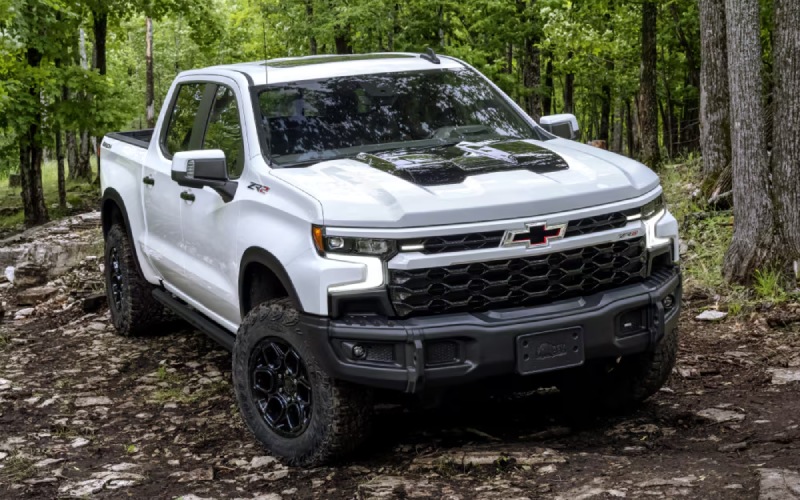
Bob Boyte Chevrolet – Can the 2026 Chevrolet Silverado 1500 Safely Haul a 12-foot Kayak near Slidell, LA?
If weekend plans around Slidell typically include slipping a kayak into Bayou Bonfouca, crossing the Rigolets to Lake Pontchartrain, or exploring the Pearl River marshes, you want to know your truck can carry your boat securely and simply. The 2026 Chevrolet Silverado 1500 is built for real cargo, not just specs on a page, and our team at Bob Boyte Chevrolet is here to explain exactly how its bed design, tie-downs, and available Multi-Flex Tailgate help you move a 12-foot kayak with confidence.
Below, we break down the Silverado 1500’s bed hardware, show how those features translate to stress-free loading at Slidell-area launches, and outline a quick loading routine you can use on day one. We will also connect the dots on which trims and available tech features add even more ease when you are navigating tight marina lots or backing down a ramp.
Why this question matters for Slidell, LA
Local paddling often means short hops from Olde Towne to Bayou Liberty, longer trailering days to Big Branch Marsh, or early starts across I-10 to the Pearl River WMA. That mix of in-town streets, highway bridges, and boat-ramp approaches calls for a truck bed that is both rugged and clever. With the 2026 Silverado 1500, you get roll-formed high-strength steel, best-in-class standard cargo bed volume, 12 standard tie-downs rated at 500 lbs per corner, and an available Multi-Flex Tailgate with two built-in load stops and a step that supports up to 375 lbs. That combination is tailor-made for long kayaks and water-ready gear.
Just as importantly, available driver assistance and camera technologies can help with tight angles near Bayou Adventure or crowded lots by the Rigolets. It is a capability that shows up not just on spec sheets, but in the way your truck works at every launch point around Slidell.
How the Silverado 1500 makes kayak hauling simpler
The bed is the heart of the job. Durabed’s size, strength, and smart tie-down layout help your straps do their work while keeping the hull centered and stable. The available Multi-Flex Tailgate then adds two practical advantages for kayaks that extend beyond the closed tailgate: a sturdy step for easier loading and two load-stop positions to help keep long items from sliding rearward.
- Bed strength and space: Roll-formed high-strength steel and best-in-class standard cargo bed volume help your kayak sit flat and secure.
- Tie-down versatility: Twelve standard tie-downs rated at 500 lbs per corner give you multiple bow, stern, and mid-hull anchor points.
- Multi-Flex Tailgate utility: Six configurations, including primary gate load stop and inner gate load stop, help control overhang.
- Full-width step capacity: The step supports up to 375 lbs, making it easier to lift and guide the kayak into place.
- Available power tailgate: Power-up/-down makes single-person loading more manageable when you are balancing the bow and straps.
Many kayaks up to 12 feet will ride diagonally in the bed with the tailgate down, or lengthwise with controlled overhang using the Multi-Flex load stops. The Silverado’s multiple tie-downs let you keep the bow snug against the front bed wall and stabilize the hull mid-ship, then finish with a stern line to limit fore-aft movement. It is a simple, repeatable setup that works as well for a solo sunrise paddle on the Liberty Slough as it does for a family day at Northshore Beach.
Step-by-step: loading a 12-foot kayak in Durabed
You do not need a special rack to get started. With the Silverado 1500’s standard bed hardware, here is a straightforward routine you can practice at home before your first launch-day run to Bayou Bonfouca.
- Open the tailgate and clear the bed, placing a soft pad or towel where the bow will rest against the front wall.
- Position the kayak at the rear of the truck, stern first, and lower the bow onto the available Multi-Flex full-width step to reduce lift height.
- Slide the kayak forward, then rotate gently so the bow rests slightly toward the driver’s side front corner to minimize rear overhang.
- Attach a bow line to a forward tie-down and cinch until the hull is snug against the front wall, protecting both with your pad.
- Run two mid-hull straps to bed tie-downs on opposite sides to prevent side-to-side movement; add a stern line to a rear tie-down.
- If the kayak extends beyond the closed gate, engage the primary gate load stop or inner gate load stop to help prevent rearward sliding.
- Give the hull a firm shake to confirm everything is locked. Recheck straps after a short shakedown drive.
If you regularly carry multiple kayaks, ask our team about bed dividers and protective mats that work with Silverado’s tie-down points. And for early morning departures on I-10, consider reflective tape on strap tails for added visibility.
Helpful tech when lots get tight
Marina and trailhead parking around Slidell can be busy, especially on fair-weather weekends. Available Silverado camera technologies offering up to 14 views, plus available HD Surround Vision, help with situational awareness around posts, curbs, and pedestrians. That extra confidence pairs well with standard Chevy Safety Assist, which includes features like Forward Collision Alert with Automatic Emergency Braking and Front Pedestrian Braking. Whether you are easing into a spot by Heritage Park or navigating gas-station canopies on Gause Boulevard, the truck’s visibility tech supports careful maneuvering.
If your kayaking life also includes towing a small utility trailer or a second boat, the Silverado’s towing features are designed to reduce stress. The available In-Vehicle Trailering App helps you set up a trailer profile and keep track of key checklists, while Trailer Side Blind Zone Alert can help you monitor side traffic down the I-12 corridor. And if you want long-haul comfort for paddling trips to the Atchafalaya or beyond, available Super Cruise® hands-free driver assistance technology on compatible roads is there to help — even while towing.
Which Silverado 1500 fits your paddling routine?
For most single-kayak owners, a Crew Cab with the standard bed and available Multi-Flex Tailgate is a do-it-all setup for weekdays in Olde Towne and quick weekend paddles. If your plans include fishing kayaks, coolers, and camping bins for Pearl River overnights, you will appreciate Durabed’s 12 tie-downs and generous standard cargo volume. Drivers who split time between city errands and marsh launches may want to add available HD Surround Vision for close-quarters clarity. And if your route to the water often includes highway stretches, the available Duramax® 3.0L Turbo-Diesel delivers best-in-class highway fuel economy to help you go farther between fill-ups.
We can also help you explore trim features that align with your routine. From the value-packed capability of WT and Custom with the TurboMax™ engine to the premium comfort and available Super Cruise® of High Country, there is a Silverado 1500 that fits how and where you paddle near Slidell.
Local-ready support from Bob Boyte Chevrolet
We invite you to bring your kayak to Bob Boyte Chevrolet for a real-world test fit in a 2026 Silverado 1500 bed. Our team can walk you through tie-down best practices, show you how the Multi-Flex Tailgate’s load stops and step work, and help you choose accessories that make sense for Slidell-area launches and storage. We can also demonstrate available camera views, Chevy Safety Assist features, and Google built-in compatibility — including how Google Maps can help you route to new launch points around Lake Pontchartrain.
From first-time paddlers to seasoned marsh explorers, our goal is simple: make your loading routine easy, your drive relaxed, and your day on the water more enjoyable.
Frequently Asked Questions:
Will a 12-foot kayak fit in the 2026 Silverado 1500 bed without a rack?
Yes, most 12-foot kayaks can be carried in the bed with the tailgate down and secured using Durabed’s 12 standard tie-downs. The available Multi-Flex Tailgate adds load-stop positions that help keep long items from sliding rearward. For best results, place the bow against the front bed wall, secure mid-hull straps to opposite tie-downs, and use a stern line.
Do I need the Multi-Flex Tailgate to carry a kayak?
You can carry a kayak using the standard tailgate and tie-downs, but the available Multi-Flex Tailgate makes the job easier. Its full-width step supports up to 375 lbs to assist loading, and the primary and inner gate load stops help control overhang. If you frequently load solo or carry longer boats, Multi-Flex is worth it.
How many tie-down points does the 2026 Silverado 1500 have, and how strong are they?
Durabed includes 12 standard tie-downs rated at 500 lbs per corner. That gives you multiple anchor choices for bow, stern, and mid-hull straps, plus extra points for paddles or a small cooler. The rating is more than sufficient for typical kayak loads when straps are properly applied.
Which 2026 Silverado 1500 features help with tight parking at Slidell marinas?
Available camera technologies offering up to 14 views and available HD Surround Vision provide a better look around the truck when maneuvering near posts, curbs, or other vehicles. Standard Chevy Safety Assist features — such as Forward Collision Alert with Automatic Emergency Braking and Front Pedestrian Braking — add confidence in busy lots and crosswalks.
Can Super Cruise® help on longer paddling trips?
Available on High Country, Super Cruise® is hands-free driver assistance technology for compatible roads, and it even works while towing. If your kayaking adventures regularly include highway miles on I-10 or I-12, Super Cruise® can help reduce fatigue over the course of a long day.
What engines are available if I also tow a small kayak trailer?
Silverado 1500 offers four engines, including the TurboMax™ with best-in-class standard torque, the 5.3L EcoTec3 V8, the 6.2L EcoTec3 V8, and the Duramax® 3.0L Turbo-Diesel, which delivers best-in-class highway fuel economy. If your paddling life grows to include a small trailer, our team can help you match your engine and trailer features to your needs.
If you are shopping near Slidell, LA, and want to see how the 2026 Chevrolet Silverado 1500 simplifies kayak hauling, we welcome you to visit us. We will help you test fit your boat, demonstrate bed features, and set you up with a truck that is ready for your favorite water — from Bayou Lacombe to Lake Pontchartrain and beyond.
Request more 2026 Chevrolet Silverado 1500 information
Connect with us

